


Vinyl Casino app not working? Try these alternatives
When the program refuses to launch or the page hangs for more than 30 seconds, many Canadian players move on to another site right away. Below we have put together a short list of alternatives that all hold a valid licence and load in under 3 seconds. Every pick was assessed on CAD payments, game selection and withdrawal times, and you can return to our platform at any point.















Is there a Vinyl Casino app at all?
No, a downloadable program does not exist in the traditional sense. Instead we run a PWA that goes straight onto your home screen from the browser, with no file to install. The table below gathers the key details on how the Vinyl Casino app behaves on phones and tablets.
| 📱 Parameter | Details |
| 🧩 Native program | None, and no file to download |
| 🛒 Google Play / App Store | Not listed in either store |
| ⚙️ Type of solution | PWA, installed directly from the site |
| 💾 Size | Around 1 MB, takes minimal space |
| 🌐 Browsers | Chrome, Safari, Firefox, Edge, Samsung Internet, Opera |
| 👤 Account | Shared with desktop, one login |
| 💳 Price | Free to install and use |
How to add Vinyl Casino to your home screen (Android)
On Android there are two ways to place our icon on the home screen: through the built-in feature on the site or through the Chrome menu. Both take under 1 minute and neither requires a file from Google Play. Once set up, a Vinyl Casino download opens in full screen, with no address bar or tabs around it.
Via «Create Shortcut»
This route goes through the app entry in the menu and places a genuine PWA icon on your home screen. The whole process takes about 1 minute, and the button sits in plain sight in our menu. Here is how a Vinyl Casino app lands on your phone in less than sixty seconds:
- Go to the site:
open the official page in your mobile browser.

- Open the menu:
tap to open the menu in your browser.
- Find the app entry:
tap the entry for the program inside the menu.
- Tap «Install»:
confirm in the window that opens and the PWA is set up.
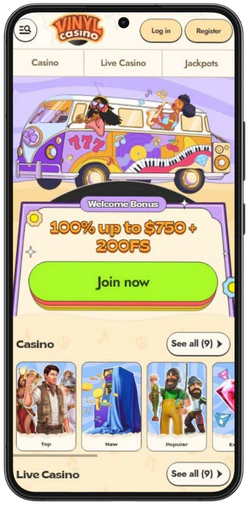
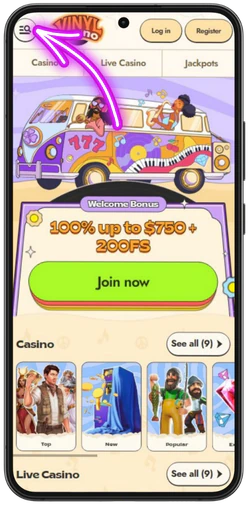
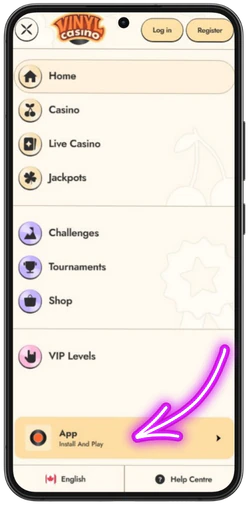
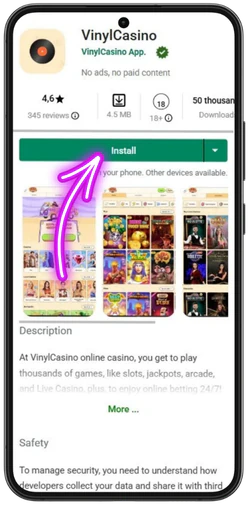
Should the icon fail to appear, check that your browser has been updated to the latest version. Our icon pulls its name and colour from the manifest, so it looks identical across devices. A missing manifest is the most common reason an installation stalls halfway.
Via the Chrome menu
The second route creates a quick shortcut through the 3 dots in the Chrome menu, without an install window. This method works on Android 8.0 and newer, and we recommend it as a file-free replacement for any Vinyl Casino APK you might come across. The steps take roughly 40 seconds from start to finished icon.
- Open the website:
go to the official page in your mobile browser.
- Open the menu:
tap the 3 dots on the right side of the browser.
- Choose «Add to»:
tap the entry that adds the page to your device.
- Tap «Home screen»:
confirm your choice and the icon appears right away.
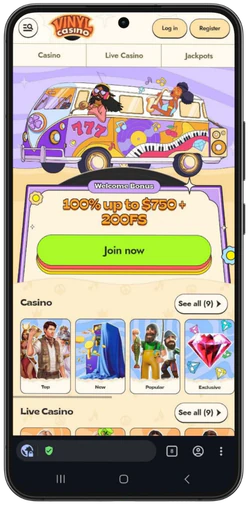
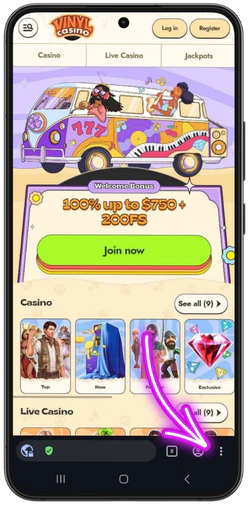
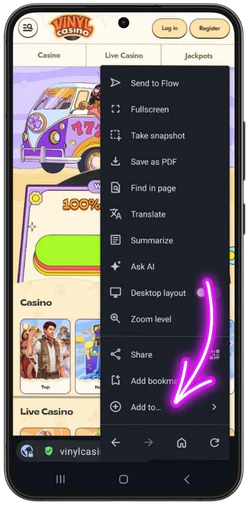
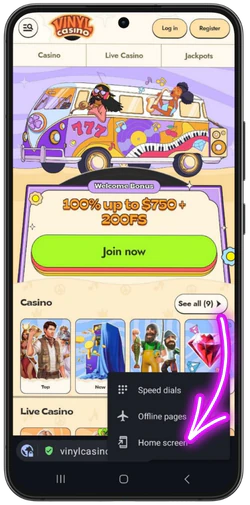
What sets this apart from the first method is that the shortcut is built in seconds, without a separate install window. Our icon opens the site directly, though without the deeper system hooks an installed PWA provides. This route suits a quick setup best on borrowed or older phones.
Vinyl Casino on iPhone and iPad
On iOS there is neither a program in the App Store nor any way to install APK files. Our website can still be placed on the home screen through Safari, where it runs as a program in full screen. For a Vinyl Casino mobile user that means the same login and the same games as on desktop, with no file to download.
Via Safari
On iPhone and iPad the setup runs through the Safari share menu, in 4 simple steps. The entire process takes under 1 minute, and we have tested it on iOS 14 and newer. Here is how the Vinyl Casino app reaches your home screen:
- Open the page:
go to the official site in Safari on your device.
- Tap «Share»:
select the share icon at the bottom of the screen.
- Choose «Add to Home Screen»:
scroll down in the share menu and tap the option.
- Confirm with «Add»:
tap in the top right corner and the icon shows up.
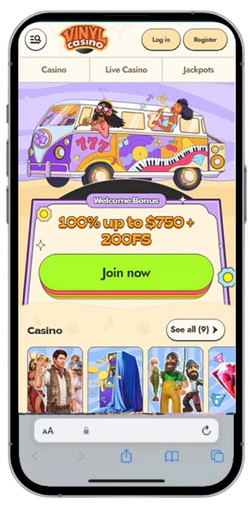
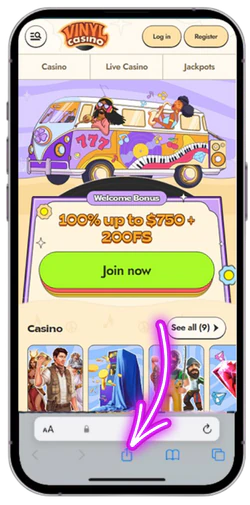
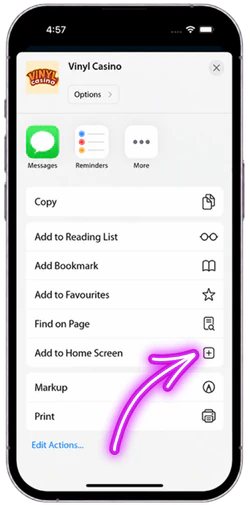
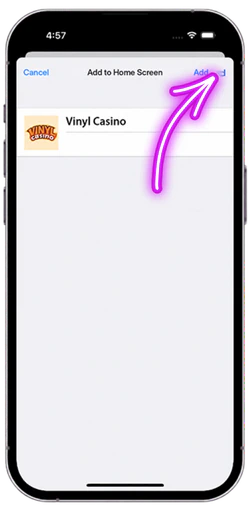
This feature works in Safari only, not in Chrome or other browsers on older iOS builds. Our icon opens the site in full screen without an address bar, exactly like a regular program. Once set up, the shortcut stays on the home screen until you remove it yourself.
System requirements: supported browsers and devices
Installation asks nothing of a powerful phone and works on models going back to 2017. The table below lists the minimum versions needed for a Vinyl Casino download to complete without errors.
| 🖥️ Component | Minimum requirement |
| 🤖 Android | Version 8.0 or newer |
| 🍎 iOS / iPadOS | Version 14.0 or newer |
| 🌐 Browsers | Chrome 90+, Safari 14+, recent Firefox and Edge builds |
| 📶 Internet | Stable 3G, 4G or Wi-Fi |
PWA vs. a regular browser – what is the difference?
Our icon on the home screen saves 2 to 3 steps at every launch compared with opening the browser by hand. The gap in login persistence and speed is most noticeable in day-to-day play. The table below sets the two approaches side by side.
| ⚖️ Feature | PWA shortcut / Browser |
| 🏠 Icon on home screen | Yes, its own icon / No, browser must be opened first |
| 🖼️ Full screen | Yes, no address bar / No, tabs and bar stay visible |
| ⚡ Speed | Faster start from cache / Slightly slower on each open |
| 🔑 Login | Holds the account longer / May ask for a new login more often |
| 📦 Space on phone | Around 1 MB / 0 MB, nothing is stored |
| 🚀 Access | One tap from the home screen / Type the address every time |
Why is there no Vinyl Casino APK?
The decision to skip an installation file is technical rather than accidental. A PWA updates on the server and reaches every device at once, while an APK has to be downloaded and installed again for each new version. We also avoid Google’s 15 to 30 percent store fee on listed applications.
- Security: a file from outside Google Play bypasses the store’s checks and raises the risk of malicious code.
- Maintenance: one PWA covers Android and iOS, so there are no two separate installation files to keep in sync.
- Updates: new content shows up instantly, without 1 million users having to download anything again.
The upshot is that an outside installation file gives you nothing the shortcut cannot already do. Same games, same CAD balance and same login work without a single downloaded file. Should you stumble across such a file elsewhere, it did not come from us.
Warning: fake Vinyl Casino APK files
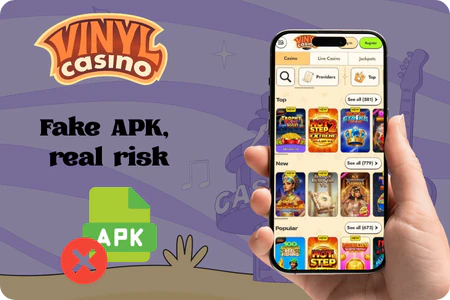
- Viruses: the file can hide malicious code that harvests data from your phone in the background and forwards it to a remote server.
- Phishing: a fake login page copies our design and steals your username and password the moment you type them in.
- Fake bonuses: promises of C$500 for free lure you into handing over card details that are then charged without your approval.
- No support: a file from outside our site gives you no access to customer service if something breaks, and deposits can vanish without a trace.
- Outdated versions: a copied file never updates, so new games and important security fixes go missing over time.
- Hidden costs: some files send expensive SMS messages or sign you up for subscriptions without notice, and the bill only arrives later.
- Identity theft: requests for ID or banking details outside our site can fuel fraud in your name, even long after the file is deleted.
Need a quick switch instead, stick to the licensed alternatives in the list at the top of the page. Each one has been checked by us for licensing and CAD withdrawals, unlike a random file pulled from a search result.
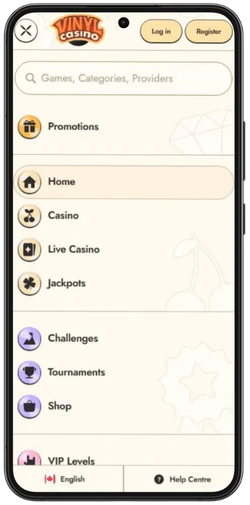
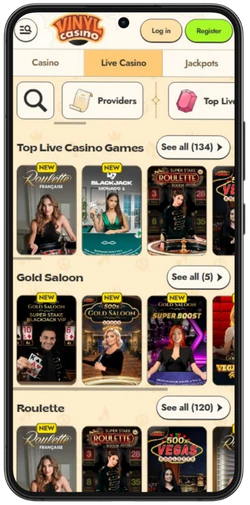
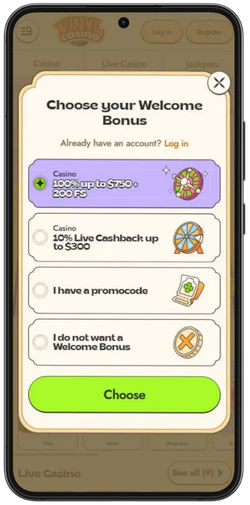
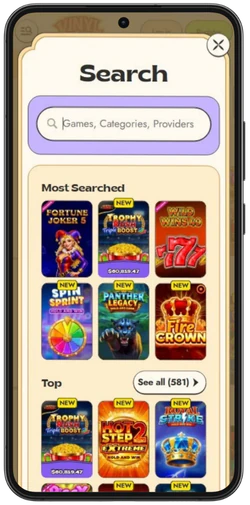
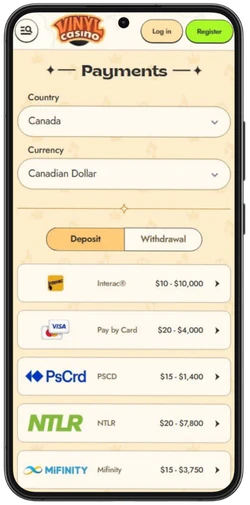
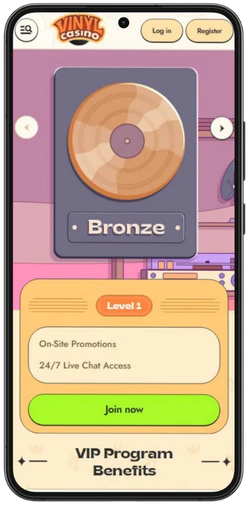
Mobile interface and screenshots
Troubleshooting on mobile
The page loads slowly
- Clear the cache: delete browsing data in settings, which removes old files and frees up memory.
- Check your connection: switch from 3G to 4G or Wi-Fi for a steadier link while you play.
- Close your tabs: shut background tabs that eat RAM and drag out loading times on older phones.
- Update the browser: install the newest Chrome or Safari, as older builds load far more heavily.
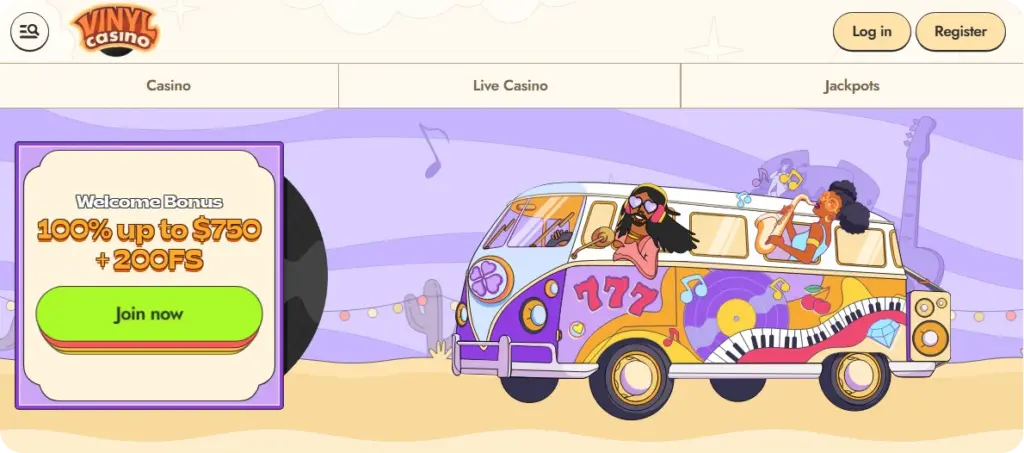
The shortcut disappeared
- Open the browser: go to the official page in Chrome or Safari once more.
- Add it again: use «Add to Home Screen» or the app entry in the menu.
- Pin the icon: hold the icon down and drag it to the spot you want on the home screen.
Login problems
- Check the password: turn off autofill and type the password by hand to avoid errors from saved data.
- Turn off the VPN: a VPN connection can block sign-in, so disable it before trying again.
- Reset your access: use «Forgot password» and confirm by email within 15 minutes.